Database Protocol Analysis

Nexus TDS Insight

Nexus TDS Insight extends Nexus Packet Sniffer for SQL Server packet analysis. It organizes SQL Server sessions, login users, databases, application names, SQL statements, packet timing, and TLS state from pcap / pcapng files.

SQL Server TDS Analyzer

See important SQL Server sessions immediately after loading a capture

The product is designed for local analysis, offline use, and portable delivery. Users select or drag a capture file, configure SQL Server ports and optional PEM / PFX / P12 keys, and analyze SQL Server TDS sessions locally in the browser without backend services or uploading packets.

It helps users identify each session client, server, user, database, app, SQL statement, execution time, TLS state, and detailed packet information for database connection auditing, SQL behavior tracing, troubleshooting, and reporting.

pcap / pcapng TDS LOGIN7 SQL_BATCH / RPC TLS 1.2 RSA CSV / JSON / HTML / PDF

Core capabilities

  • pcap / pcapng support
    Load capture files through a file picker or drag-and-drop, supporting classic pcap, pcapng, Ethernet, Linux SLL, Raw IPv4 / IPv6, and VLAN tagged frames.
  • SQL Server TDS analysis
    Supports TCP stream grouping, direction reassembly, TDS packet detection, TLS record detection, and recognition of SQL_BATCH, RPC, TABULAR_RESULT, PRELOGIN, LOGIN, LOGIN7, SSPI, and other TDS types.
  • LOGIN7 and user information
    When visible or successfully decrypted, it parses user, database, app name, host name, client library, integrated security flag, declared login length, and login source.
  • SQL statement extraction
    Extracts SQL statements from TDS SQL_BATCH, TDS RPC, or decrypted TLS TDS payloads with UTF-16LE decoding, noise cleanup, SQL keyword validation, and de-duplication per session.
  • TLS / PEM / PFX decryption
    Uses WebCrypto and node-forge in the browser to attempt TLS 1.2 RSA key exchange decryption with PEM, PFX, P12, PFXA, or key log input.
  • Report export
    Exports filtered sessions to CSV, complete results to JSON, and generates offline HTML reports plus text-based PDF reports.
Interface

Interface and workflow

The screenshots below summarize the key workflows: capture loading, session table analysis, export actions, and session details.

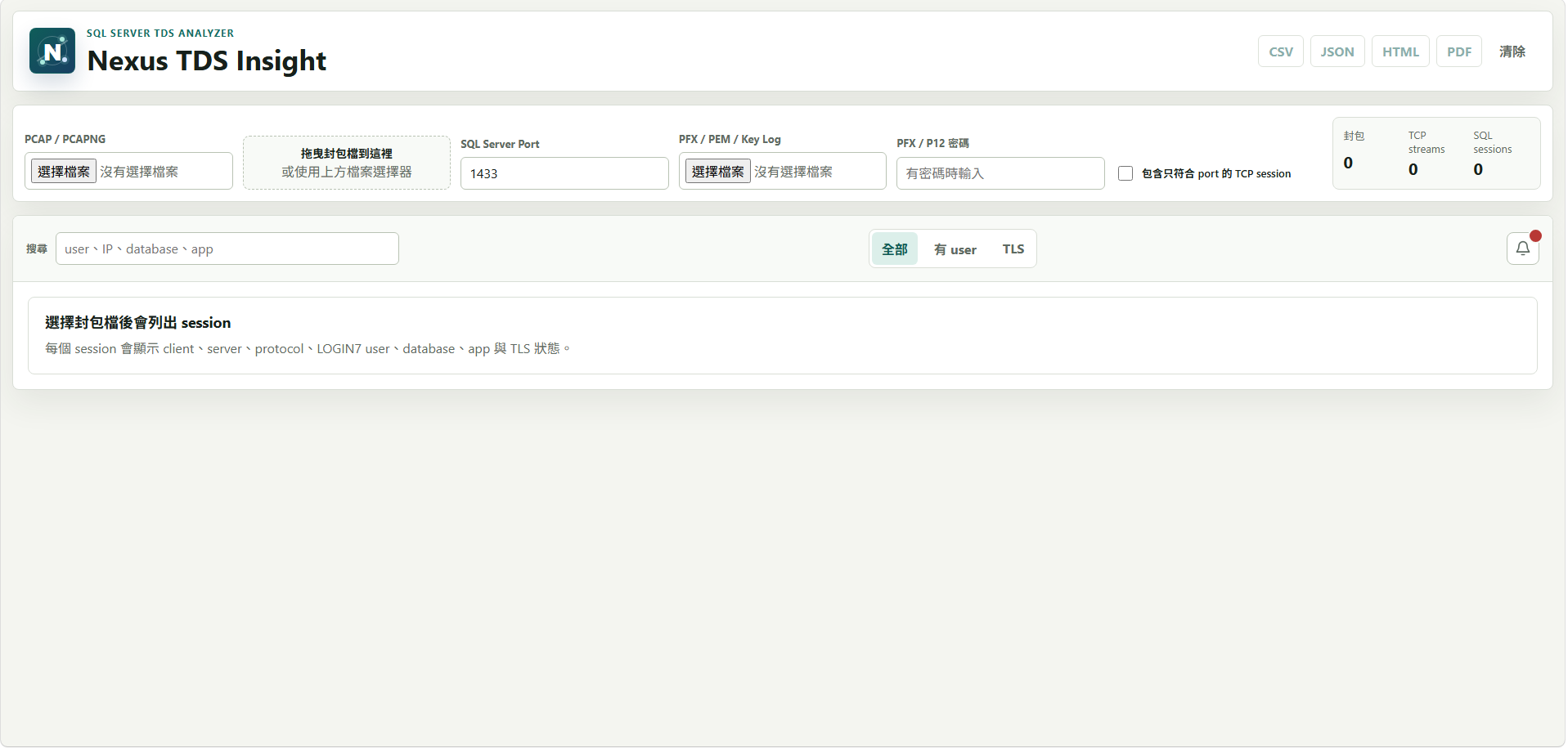
Nexus TDS Insight - Initial screen and capture loading

Initial screen and capture loading

Users can choose pcap / pcapng files or drag them into the drop zone. SQL Server port defaults to 1433 and can accept multiple comma-separated ports. PFX / P12 password changes can trigger re-parsing.

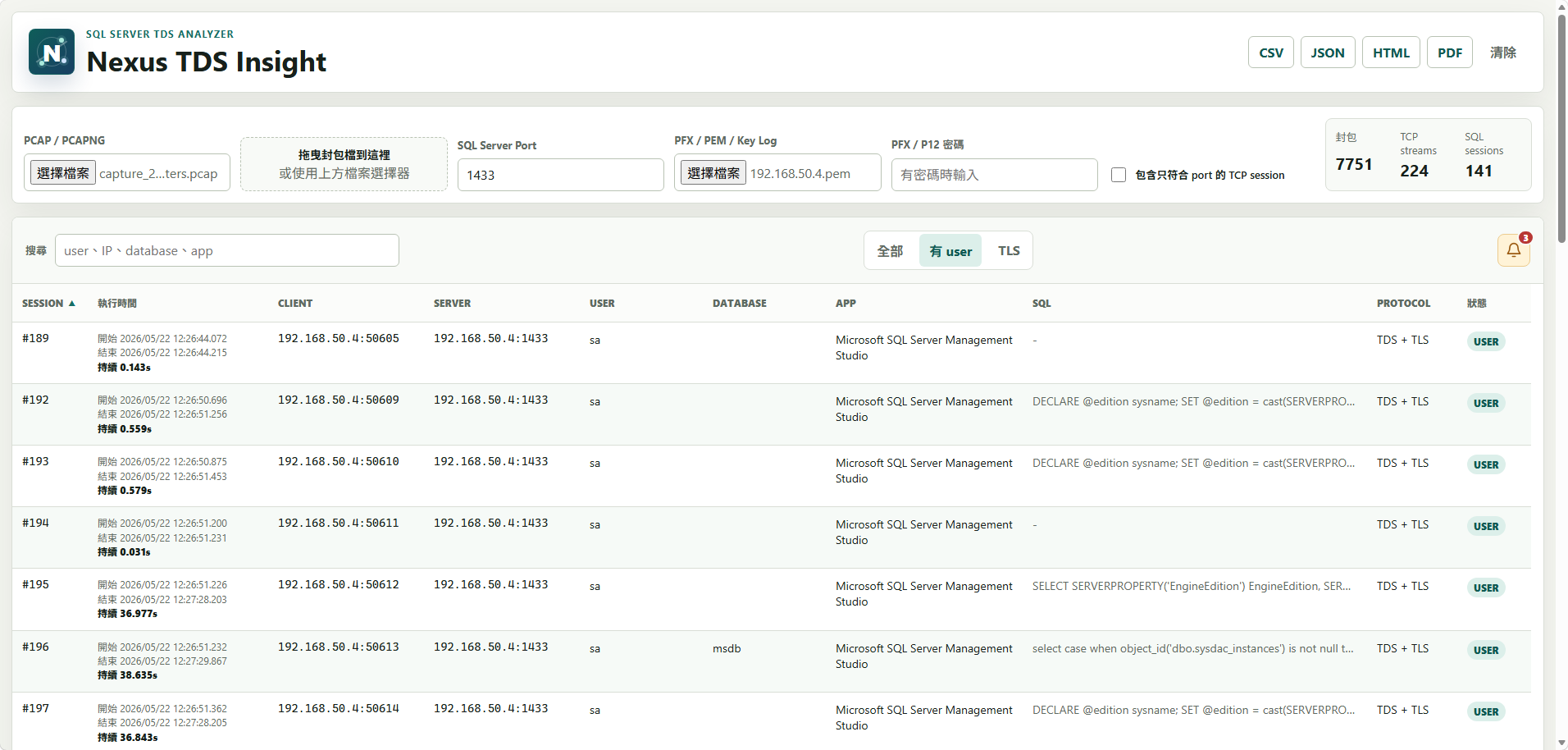
Nexus TDS Insight - Session table and filtering

Session table and filtering

After loading a capture, the table lists session, execution time, client, server, user, database, app, SQL, protocol, and status. Search supports user, IP, database, app, SQL statements, and notes.

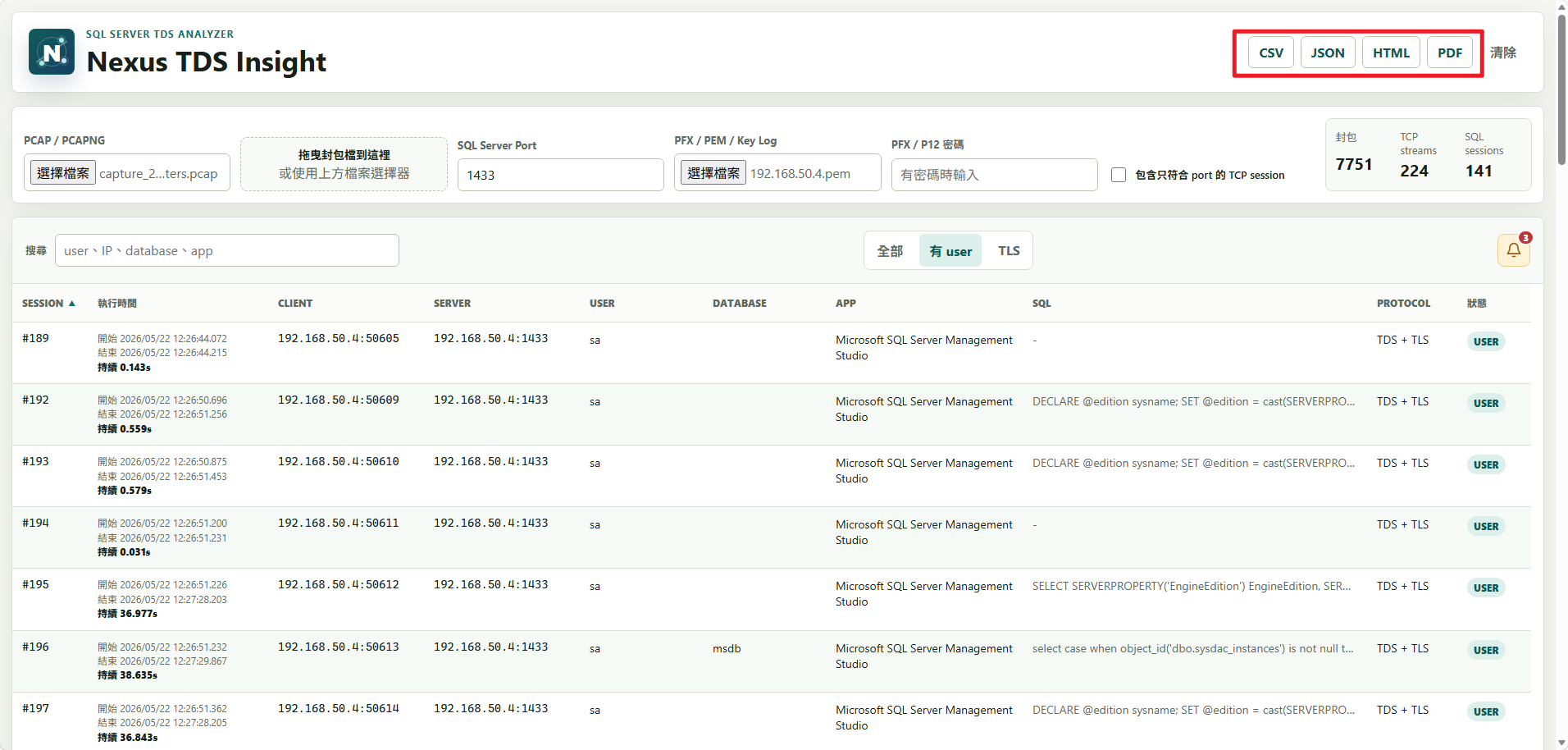
Nexus TDS Insight - CSV / JSON / HTML / PDF export

CSV / JSON / HTML / PDF export

The toolbar provides CSV, JSON, HTML, and PDF export options. CSV exports the currently filtered sessions, JSON exports complete results, HTML generates an offline report, and PDF produces a text-based report suitable for audit delivery or record keeping.

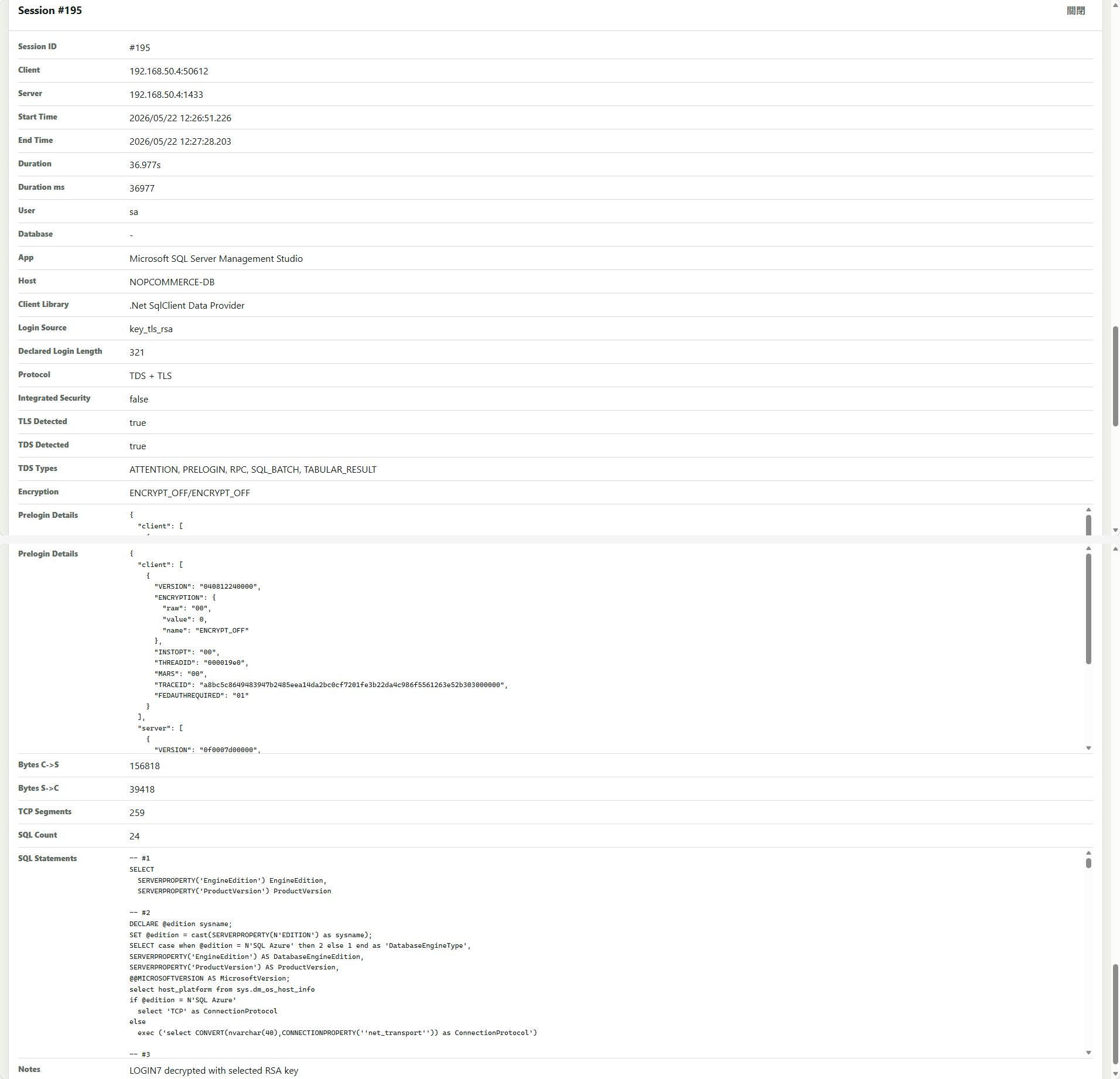
Nexus TDS Insight - Session #195 details

Session #195 details

Clicking a session row opens detailed information including the session ID, client, server, start and end time, duration, user, database, app, host, client library, login source, TDS types, prelogin details, bytes, TCP segments, SQL count, SQL statements, and notes.

Deployment

Security and privacy

Nexus TDS Insight does not upload captures or call remote APIs. Packet data and keys are processed only in local browser memory. The portable EXE only extracts static files to %LOCALAPPDATA%\NexusTDSInsight and does not require administrator privileges.

Known limitations

  • Private keys cannot decrypt TLS 1.2 ECDHE or TLS 1.3.
  • Resumed TLS sessions cannot be recovered with only a private key if the capture does not include a full handshake or master secret.
  • Kerberos integrated authentication usually cannot reveal the final DB user from packets alone.
  • If the capture does not include the login phase, a TDS session may have no user information.