
Source / Destination Subnet Capture
Use subnet conditions to capture traffic from a specific source subnet, destination subnet, or cross-subnet communication. This is suitable for segmented networks, server zones, database zones, or client subnets.
A packet capture platform for Windows 10 / 11 and Windows Server x64 environments. It provides a graphical configuration interface, flexible filtering conditions, pcap output, and real-time traffic monitoring to help organizations retain packet evidence and understand network activity.
Nexus Packet Sniffer is a packet capture tool for Windows 10 / 11 and Windows Server x64. Through a GUI, users can configure interface, source IP, destination IP, any-side port, source port, destination port, protocol, duration, maximum file size, and output folder. The native C++ capture core exports standard .pcap files.
The product focuses on ready-to-use deployment and easy operation. It is planned to support a full offline installer and a portable edition, without requiring separate installation of Npcap, WinPcap, Wireshark, or .NET Runtime for packet capture and retention in Windows x64 environments.
Nexus Packet Sniffer uses clear conditions to control capture scope for IT operations, security investigation, and database traffic observation, reducing unnecessary packets and improving analysis efficiency.
Use subnet conditions to capture traffic from a specific source subnet, destination subnet, or cross-subnet communication. This is suitable for segmented networks, server zones, database zones, or client subnets.
Optionally exclude IPv4 limited broadcast packets with destination 255.255.255.255, such as DHCP Discover, to reduce pcap background traffic. Directed broadcasts such as 192.168.1.255 are not automatically detected.
Capture only traffic between local applications and local services on the same host, which is useful for troubleshooting local database clients, agents, local APIs, or service communication without external traffic noise.
The following screenshots show the latest Nexus Packet Sniffer interface, including capture conditions, live status, interface traffic display, and common settings.
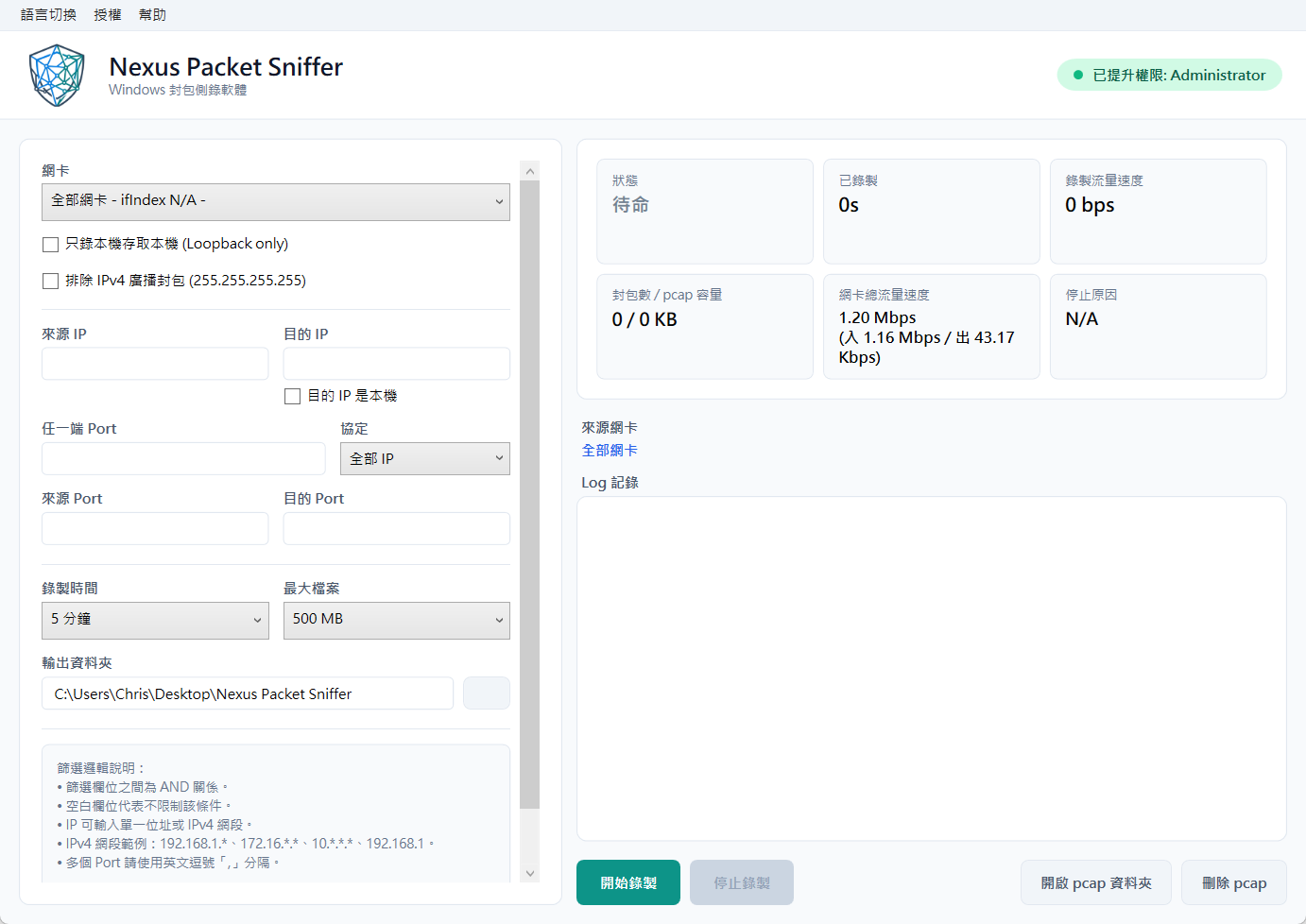
The status panel displays capture state, elapsed time, packet count, pcap size, captured traffic rate, and total interface traffic rate.
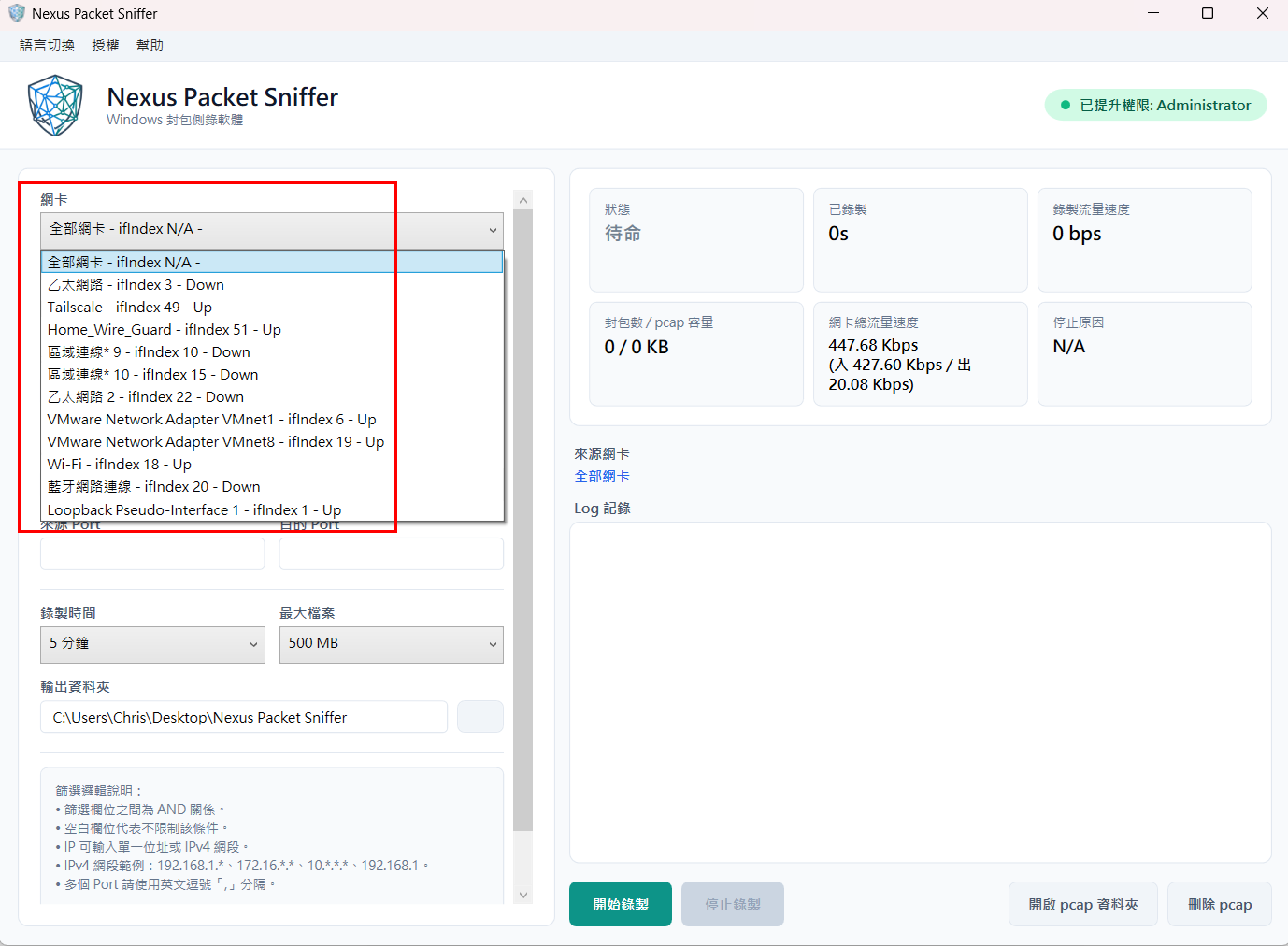
Capture can run on all interfaces or a specified ifIndex interface, with detected interface names, ifIndex values, and statuses shown in the UI.
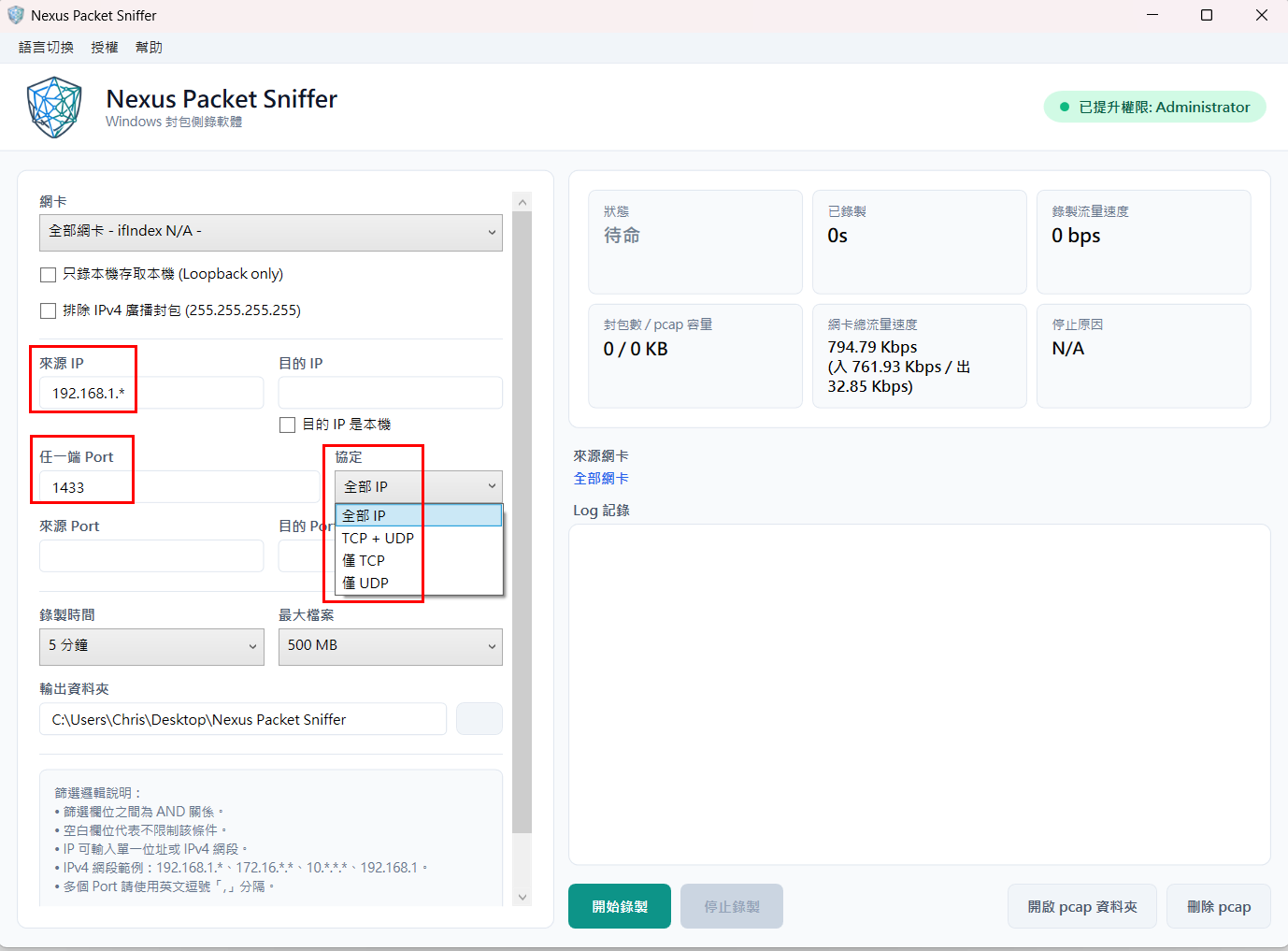
Source and destination IP fields can be combined with any-side port, source port, destination port, and protocol filters to define a precise capture scope.
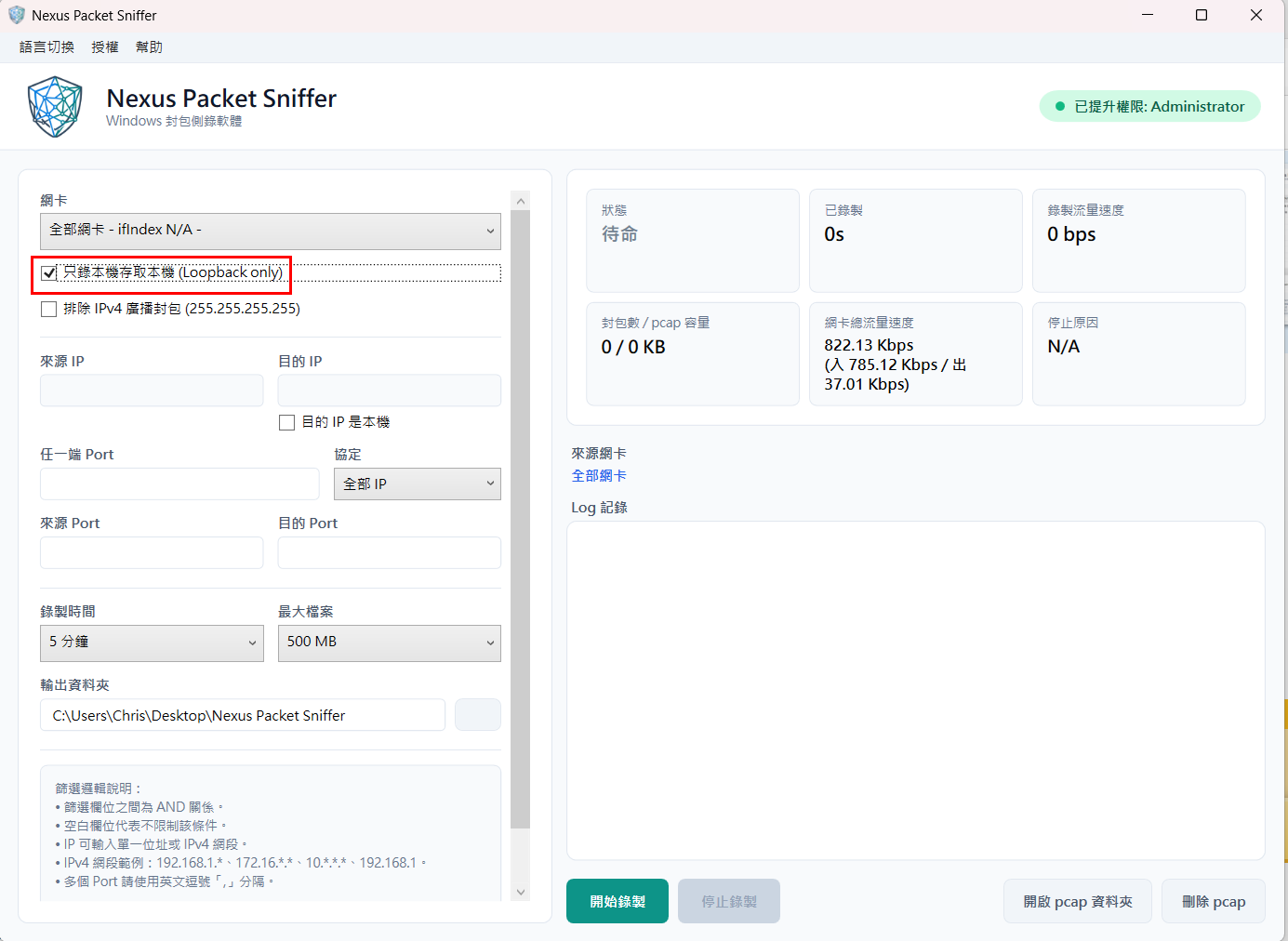
Enable local-only capture to observe same-host application traffic, and optionally exclude IPv4 broadcast packets to reduce background noise.
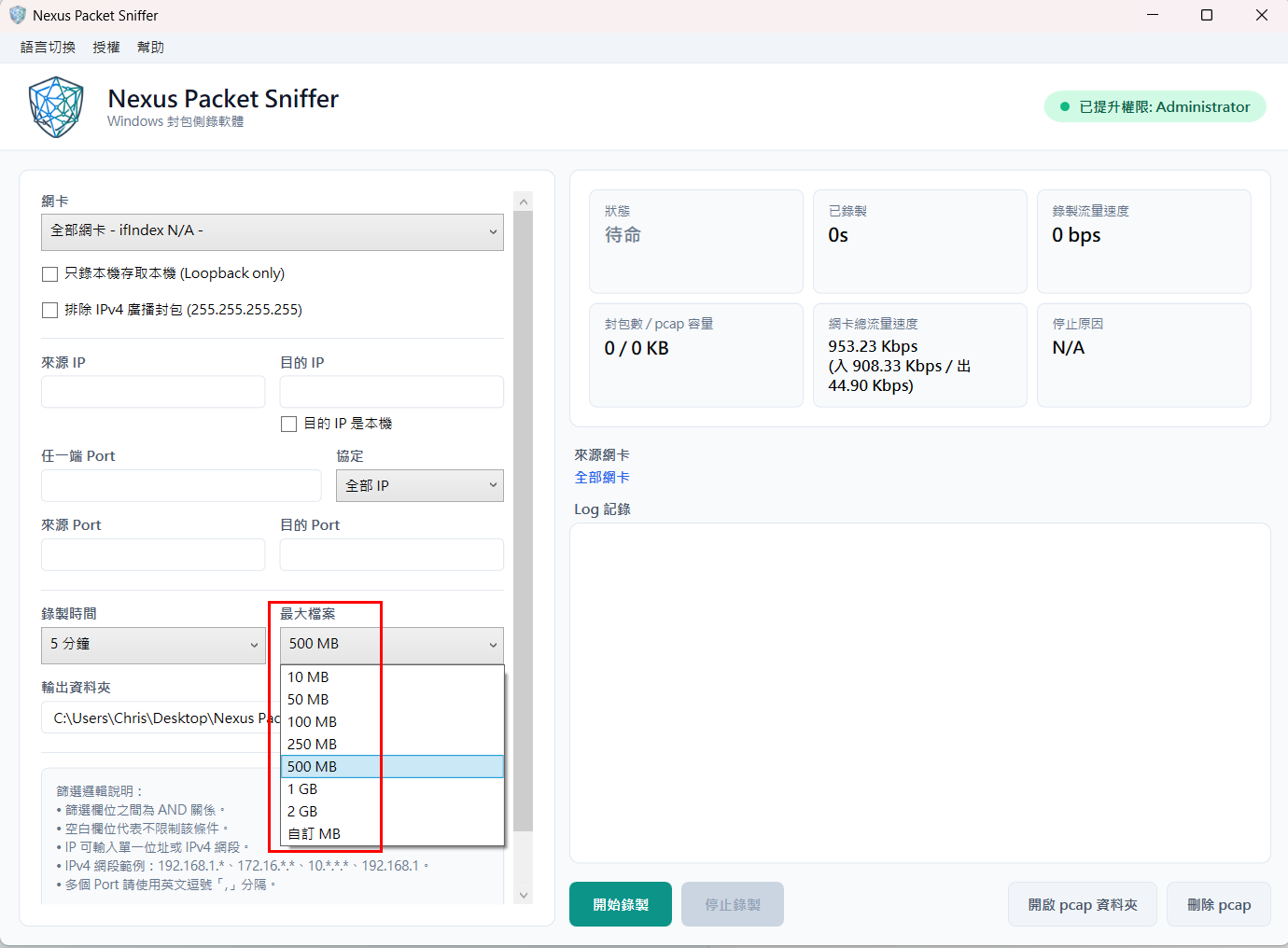
Maximum file size can be set to common values such as 10 MB, 50 MB, 100 MB, 500 MB, 1 GB, 2 GB, or a custom MB value.
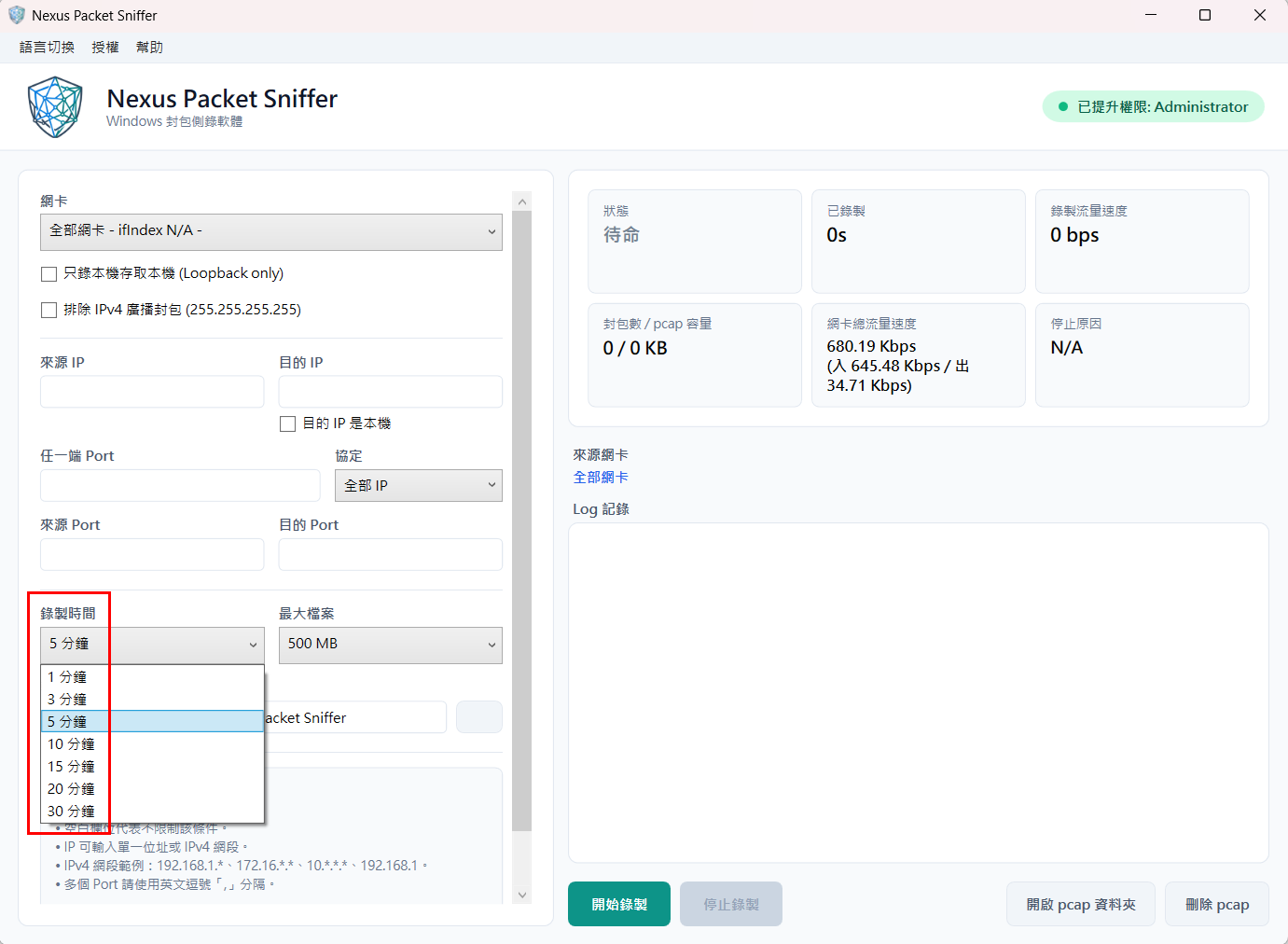
Recording duration provides common options such as 1, 3, 5, 10, 15, 20, and 30 minutes for short troubleshooting sessions.
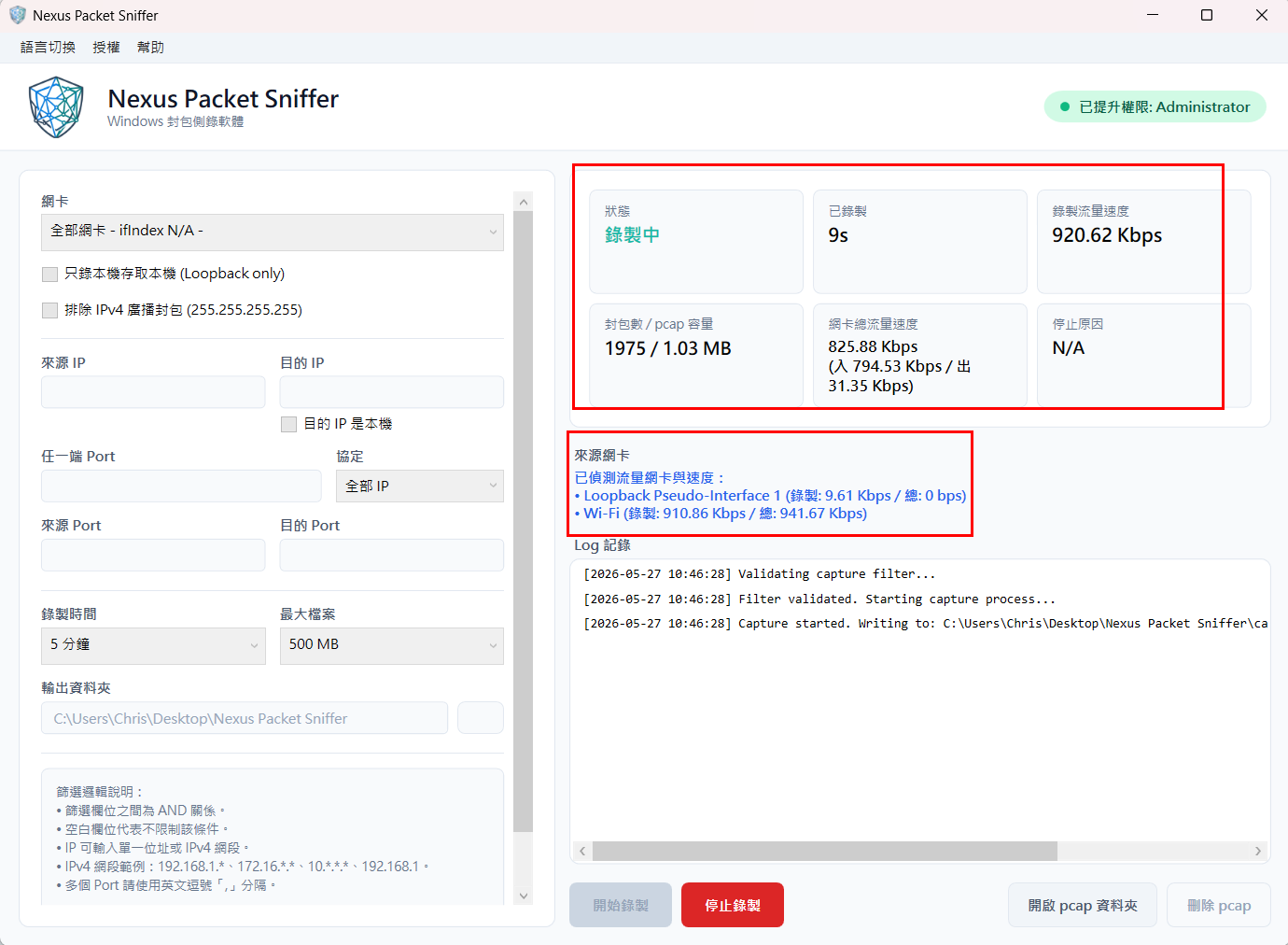
During capture, the UI shows packet count, pcap size, elapsed time, interface speed, and detected source interfaces.
These notes describe the current packet capture scope. Please confirm whether the product matches your use case before purchase.
The product mainly captures IPv4 / IPv6 packets. When “All IP” is selected, IP-layer traffic such as TCP, UDP, ICMP, and ICMPv6 can be included.
ARP, RARP, and STP are non-IP layer-2 Ethernet packets and are outside the current capture scope, so they are not written to pcap files.
The product can capture IPv4 limited broadcast packets with destination 255.255.255.255, such as DHCP Discover.
When IPv4 broadcast exclusion is enabled, only 255.255.255.255 is excluded. Directed broadcasts such as 192.168.1.255 are not automatically detected.
pcap files use LINKTYPE_ETHERNET so Wireshark can display an Ethernet header. MAC addresses are synthetic values, not real NIC MAC addresses.
IPv6 filtering currently focuses on exact address matching and does not support IPv6 subnet shorthand.
Nexus Packet Sniffer is suitable for security incident investigation, network and application troubleshooting, database connection observation, packet evidence retention, and compliance evidence preservation. With source / destination subnet, port, protocol, local-only traffic, and IPv4 limited broadcast filtering options, teams can control capture scope more precisely in Windows x64 environments, reduce unnecessary packet noise, and improve follow-up analysis efficiency.